

DAYE

Birthday & Anniversary Reminder

Birthday & Anniversary Reminder — DAYE

Birthdays, anniversaries, memorial days. Add them once, and before the day arrives a reminder quietly lets you know. Share one calendar with your family or partner for free — an app made for keeping the people you love in mind. No ads.

Download on the App StoreGet it on Google Play

No adsFree to startiOS / Android

9:41

Next anniversary

7days

Mom

Jul 4 · Birthday

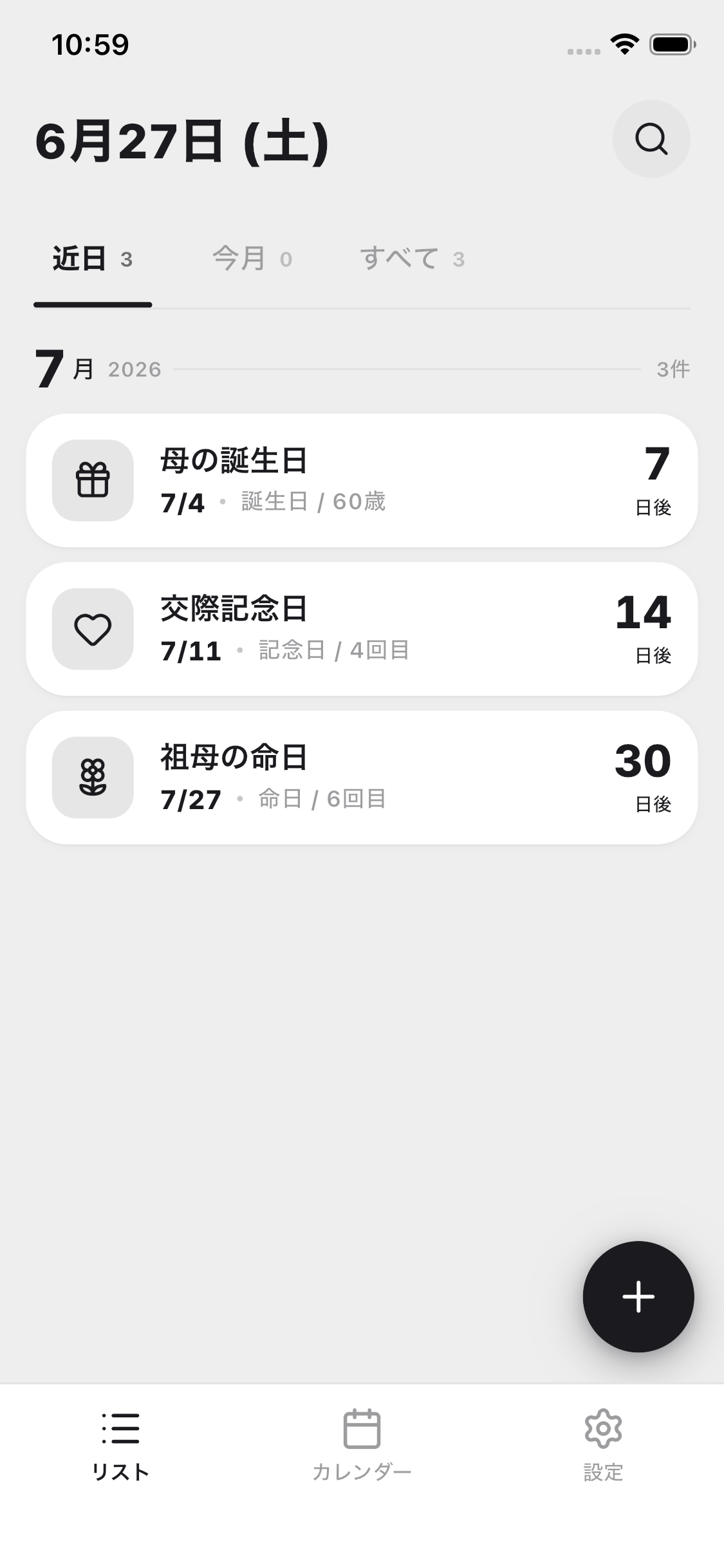
Daye's list screen, counting down to upcoming birthdays, anniversaries and memorial days

Features

What you can do with DAYE

Widget

On your home screen, always.

Without even opening the app, see the countdown to your next anniversary right on your home screen. On the day itself, a short phrase gently takes the place of the number.

Next anniversary
14days
AnniversaryJul 11 · Anniversary
TodayMomIt's her birthday todayJul 4

Share

Share with family or your partner.

With a single invite link, co-edit the same calendar with family or your partner. Whatever anyone adds reaches everyone.

Our Family

3
YMeOwner
MMomEditor
GGrandmaEditor
daye.keel-lab.com/i/K7M2QF

Categories

Create categories all your own.

A work anniversary, a pet’s birthday — the days that matter only in your home, each with the icon you choose.

Add category

Pet's birthday

Add

Calendar

See it all in the calendar.

Everything gathers in a monthly calendar. Co-edit one shared calendar with your family, for free.

July 2026

3

SMTWTFS
12345678910111213141516171819202122232425262728293031
Mom's birthdayJul 4 · Birthday / 60 yrs7days

FAQ

Frequently asked questions

Is it free to use?

All the core features are free. You can add unlimited anniversaries, and co-editing with family (up to 3 people per group) is free too. Premium — for unlimited group members, combined notification timings, photos, and themes and fonts — is available at ¥480/month or ¥3,600/year.

How do I share with family?

Just send an invite link (or QR code) to your family. Once they install Daye and open the link, you can edit one shared calendar together from that day on.

Can I change the notification timing?

Choose freely from the day of, the day before, 3 days before, and 1 week before — per event. Daye remembers the setting for each category, so you never have to pick again.

Some anniversaries shouldn’t show an age.

When you add one, you can toggle whether to include the year. That means you can comfortably add anniversaries even for people whose age you’d rather not show, or dates whose year you don’t know.

Which languages and devices are supported?

Daye supports Japanese, English, Simplified Chinese and Korean, and follows your device’s language setting automatically. The experience is the same on iOS and Android.

Is my data stored securely?

Daye runs on Firebase (Google)’s secure infrastructure. We show no ads and never hand your personal information to third parties for advertising. See our Privacy Policy for details.